Welcome


Content

Google Play Store 4.4.21 [APK Teardown]

image
Recently, an unreleased version of Google's Play Store 4.4 update and discovered that Newsstand, an upcoming Play service we first learned about back in March, had made some progress.
When we first saw Newsstand, it was in the midst of Javascript and CSS in the web Play Store. At the time, it looked like Newsstand would be an addition to the existing apps, books, tv/movies, music, and magazines categories, adopting its own yellow brand color (#FFD700 to be exact).
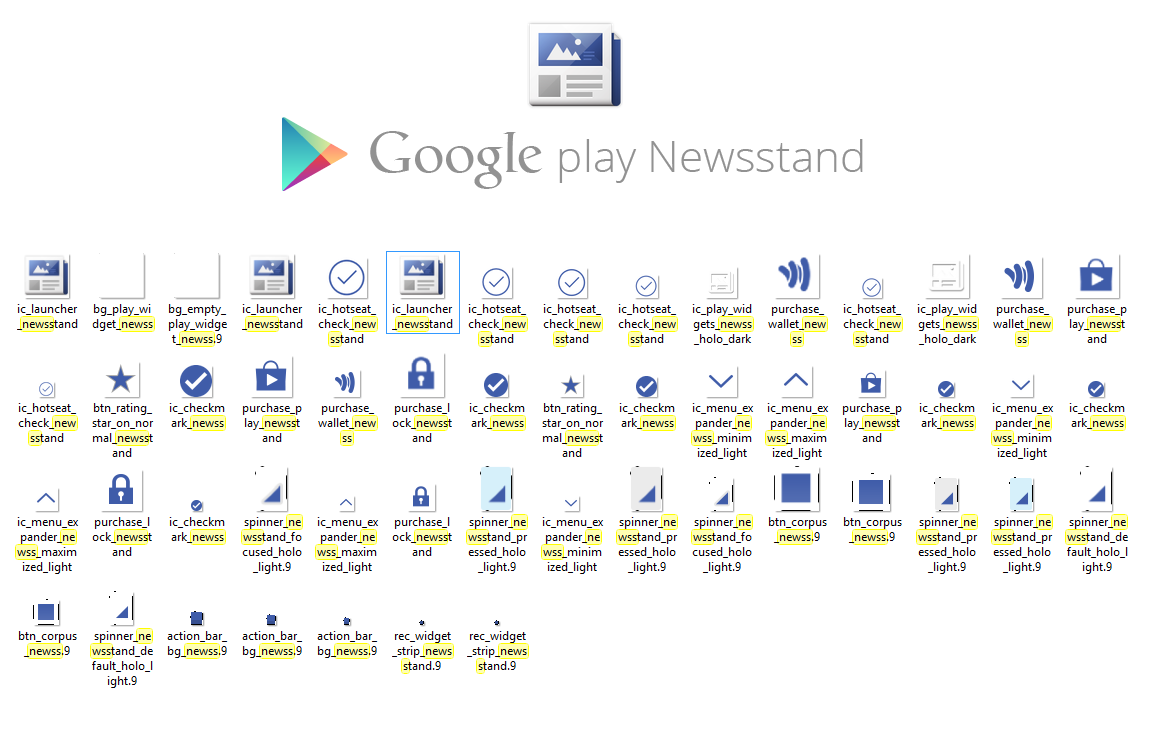
Of course today we got a new Play Store APK (which you can download here) that had a bit more to say about Google's impending news service. Perhaps the most notable bit of Newsstand news is the menagerie of iconography found in the APK:


Download The Latest Version Of Playstore Here Or Here
Read more »

BBM for Android launches Today

BBM for Android

BlackBerry has announced that it will finally start rolling-out BBM for Android in Google Play later today. The BlackBerry Messenger should become visible in the store in the next few hours. 

“The demand for BBM on Android and BBM on iPhone continues to be amazing. About six million people signed up for information about BBM at BBM.com,” the company noted in a blog post. BlackBerry has also revealed that in order to better control the incoming hoard of new BBM users, it is not opening BBM for use at once for all. While all Android users will be able to download BBM right away, they will need to enter their email address to get in the queue to use BlackBerry Messenger and once their turn arrives, BlackBerry will inform them. This way, the company will be able to keep out millions of Android users flooding its servers at once and ruin its second roll-out plans. There is some good news for the Android users, who signed up on BBM.com. 

They get automatic beat the queue passes and will have immediate access to BBM. There is some more news for Samsung Android customers in Sub-Sahara Africa, who will be able to download BBM today from the Samsung Apps store. Other Android users in the region will however have to wait for next three days to see the app in Google Play.
Read more »

Send and Receive SMS Anywhere with Floating Texts


Getting interrupted because of an incoming text message is never fun. And replying to that text usually means switching to your messaging app and then switching back to what you were doing previously. While the sender may think that his or her lolspk is more valuable than your Angry Birds time, you may not always be inclined to agree.

Thankfully Paranoid Android had something to say about that with the revolutionary Halo, which they promptly open sourced. Despite its many merits, however, not everyone is running Paranoid Android. Luckily, we recently featured an Xposed module thatbrings some of the Halo experience to any device running Recognized Developer rovo89‘s Xposed Framework (thread).
But this is Android, and we like having options. After all, having options is what Android is all about. As such, XDA Forum Member manuja95 brings us a simple messaging app that lets you read and respond to your incoming SMS messages without having to exit your currently running app. Incoming messages come in as a floating and unobtrusive popup, and you can reply within the popup without leaving your current app.
Floating texts has a few nice features you’d not ordinarily expect. For starters, you can swipe through a list of your received text messages. You can also customize the message popup’s color and duration. Messages also update in real-time.
If you’re looking for a new way of viewing and replying to messages on the fly, head over to the application thread and give Floating Texts a shot.

Features:

- Display text messages on top of all apps
- Reply to texts instantly
- Swipe through multiple text messages
- Real-time updating texts
- Display text message after unlocking
- Turn on/off SMS popup
- Customize the popup duration
- Customize the popup color
- More!

Download It From Playstore

 
APK Download Link If Playstore Not Available In Your Country
Read more »

GravityBox Is The Mother Of All Xposed Framework Modules !!!


The Xposed framework has opened up some interesting mods. Most of them do only a few things. Some of them do a lot more. GravityBox does a lot more than that. This module from XDA Developers member C3C076 (keep 'em comin, guys) seems to incorporate all the little tweaks that people generally flash a custom ROM for, but it's built for stock Nexus devices and "clean" AOSP ROMs.

banner1

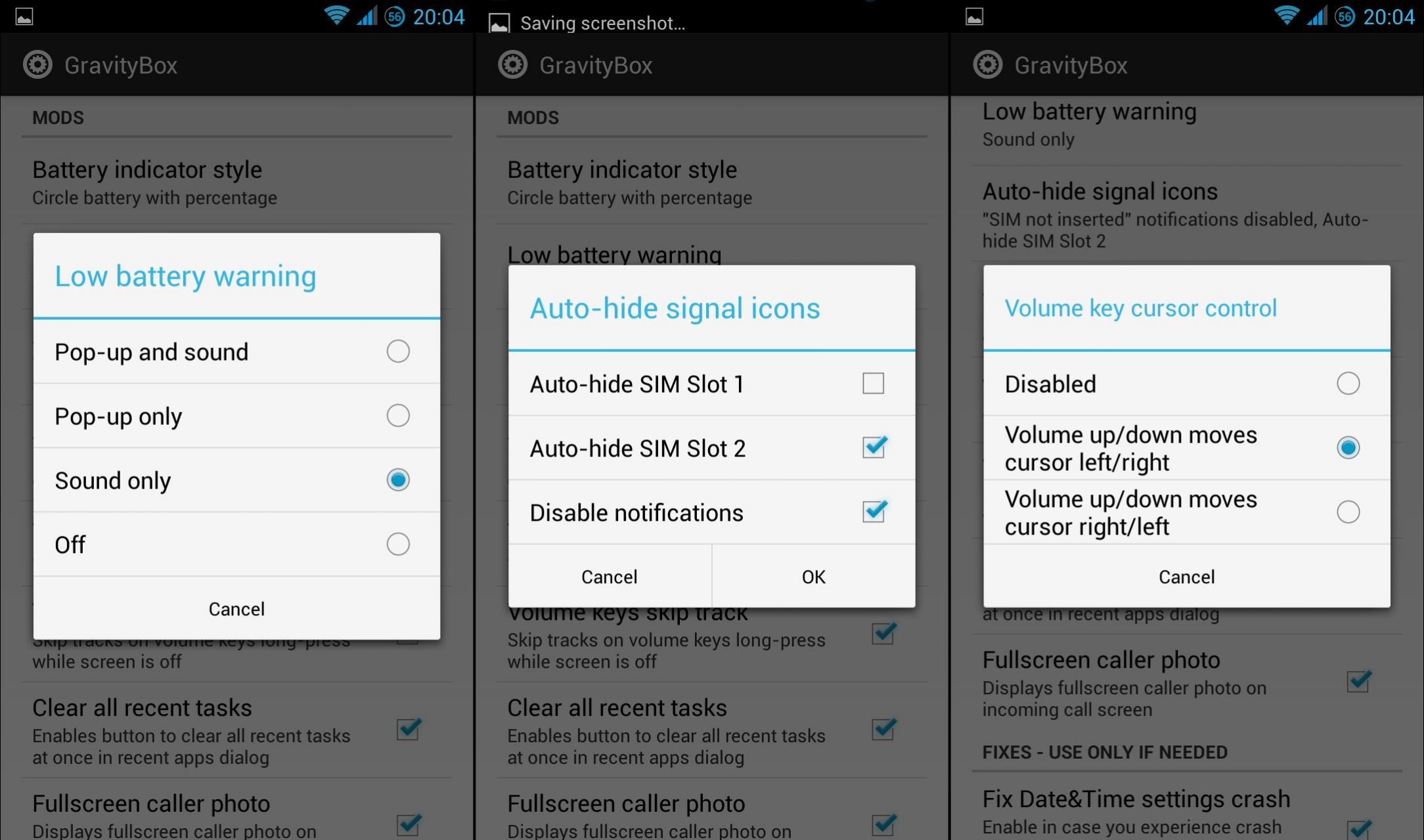
Here are a few of the highlights for GravityBox: PIE controls that replace the on-screen navigation buttons. CyanogenMod-style expanded desktop (hide navigation controls). Extra control buttons in the Jelly Bean Quick Settings menu. Right-side, single-finger pull down for the Quick Settings menu. Status bar tweaks including color options, center clock, brightness control, and even the ability to hide the cellular bars when you've got no SIM card. Reboot and recovery options on the power menu. You can even adjust the backlighting on your buttons, if your device has them. "Kitchen sink" doesn't even begun to cover it.

banner2

Unfortunately, GravityBox is somewhat limited compared to other modules in terms of device support. Xposed requires root, of course, but GravityBox only works on Nexus and Google Play Edition devices (Android 4.1 or above) or ROMs that are extremely close to "clean" AOSP. Even the minimal changes in popular ROMs like CyanogenMod or AOKP will break functionality. But of course, those ROMs include a lot of these features anyway. Add in the fact that the Xposed framework itself has a nasty habit of unforeseen consequences, and it might be a good idea to back up your data before giving this a try.
At the moment, GravityBox is only available on XDA. Here's the Xposed Framework if you don't have it already.
Source: XDA Developers
Read more »

Google Experience Pack


Hi to all, Do you like the new wallpaper and icons that you saw on leaked images of kitkat?
Here It Is From An Senior Member From XDA Called 
ALESSIO94x
Enjoy the new Google Experience!!


Pack Contains Full HD Wallpaper And Icon Files
Read more »

ROM Installer To The Play Store, It's Like ROM Manager On Steroids

Cover art


If you're a frequent ROM flasher, then you already know the tools of the trade – ROM Manager, ClockworkMod Recovery, TWRP, Goo Manager, etc. – but now it's time to add another to the list: ROM Installer from JRummy. If you're not familiar with Rummy, he's been putting out top-notch apps for root users since the OG Droid days. He's responsible for killer tools like ROM Toolbox and Root Browser, among many others.
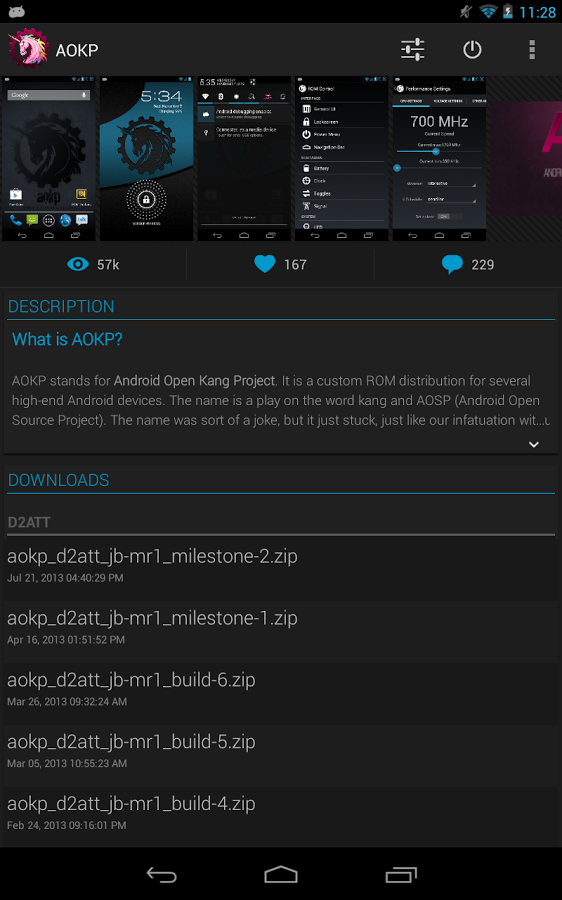
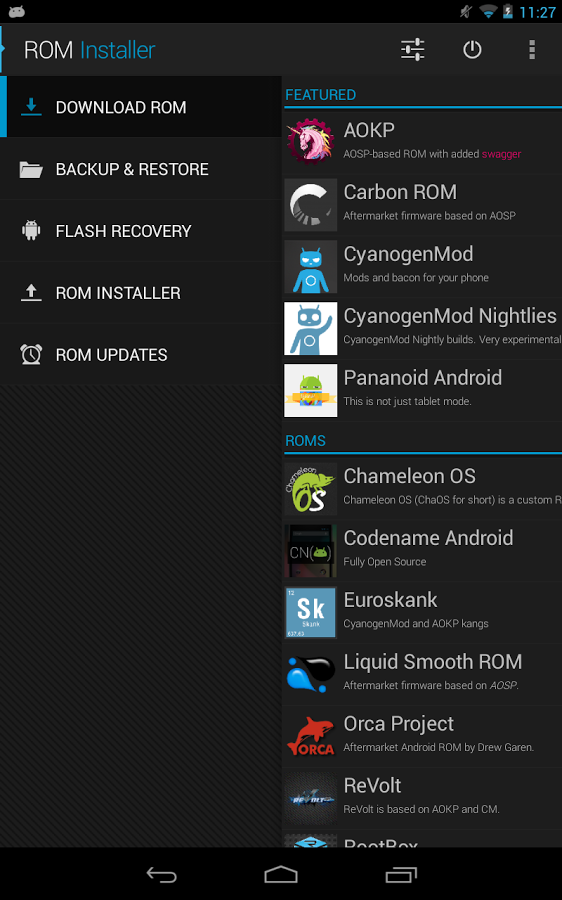
But I digress – let's talk about ROM Installer. Basically, this is an easy way to find and install new ROMs, much like ROM Manager. According to the Play Store listing, "ROM Installer has the most ROMs available in any app you will find on the Google Play Store," so of course you'll find all the big names there: CyanogenMod, AOKP, Paranoid Android, MIUI, Carbon, and many others – perhaps some you've never even heard of. Naturally, certain devices will have more options than others, simply because there's more support.
1[5] 2 3
Aside from making easy work of ROM installation, ROM Installer can also keep your recovery updated (be it ClockworkMod or TWRP), create and restore Nandroid backups, extract files from Nandroid backups, flash multiple zips in tandem, notify you of new updates to your ROM, and it even has built-in access to Goo Manager.
During its beta period, ROM Installer is free. Once it exits beta, a premium license will be needed to access some of its features. Head below to check it out, and join the Google+ community to be a part of the beta program.
               ROM Installer
Download ROM Installer from Google Play
QR code for https://play.google.com/store/apps/details?id=com.jrummy.apps.rom.installer
Read more »

Switchr - Task Switching Revolutionized


Switching Apps on Android is generally accomplished using Android’s native card-style multitasking solution. We’ve seen some apps that provide quick access to favorite programs with a swipe from the side of the screen with the original Sidebar, Sidebar plus, and Appsi Sidebar.
However, when you are in a program and want to switch to another running, you always had to go to the multitasking button. Depending on your device, that might be pressing and holding the home button for 2 seconds, double tapping home, or pressing the dedicated softkey. Switchr by XDA Senior Member Mohammad_Adib makes going back to a previous app as simple as swiping your finger. Mohammad_Adib, the same developer who gave us Sidebar and Floating Stickies, brings us a new way to switch between running apps that makes you wonder why this isn’t standard in the OS.
Switchr is a well designed and well polished app with a simple, yet practical function that allows users to access their running apps quickly and conveniently. The app is backed by an active and committed developer. It works with Android versions 4.0 and newer, but the dev intends on bringing support to Gingerbread devices as well. The beta will end on October 20, and will be followed by official release.
If Switchr interests you, head over to the original thread for more details.

Download Beta Version Here: bit.ly/SwitchrBeta

Read more »

Grab This Themer Beta Invite Code Good For 40,000 Uses And Help MyColorScreen Test Its Beefed Up Servers

Themer Beta, a launcher replacement initiative by the team at MyColorScreen.com, has received a lot of attention in the last few weeks. And I mean a lot, as it currently has a waitlist of 280,000+ people strong. That's right, two hundred and eighty thousand.
The invites have so far been released in relatively small batches of a few thousand at a time, leaving the majority of those on the list waiting impatiently and scrambling to find a code or two to satisfy that Themer craving. Our own Ryan Whitwam took the app out for a spin in the first exclusive look on the web and came out relatively impressed.
Today, I have some good news. The MyColorScreen team has heavily upgraded the backend servers powering Themer and are now ready for a swarm of users to hit them all at once. The magical code you need to know is: MSTRCD. It's good for 40,000 uses, but considering the size of that waitlist, I wouldn't wait too long to download the app from the Play Store and punch it in.

wm_Screenshot_2013-10-10-16-44-49 wm_Screenshot_2013-10-10-16-45-17 
Read more »

Google Hangouts update to bring SMS/MMS integration, report says


Hangouts updated for phone calls
A new report says that an upcoming Hangouts update will finally bring one of the features users have been asking for since the service was launched – SMS and MMS integration.
The news comes from Android Police, which has been apparently able to confirm with a couple of sources that Hangouts will indeed get this feature – the publication has also included a few images that reportedly show Hangouts version 1.3, as well as a mockup for the SMS menu.
What’s not clear yet is when this Google Hangouts update will arrive, and whether it’ll be included in the upcoming Android 4.4 KitKat OS update.
In addition to SMS and MMS integration, the messaging app will also get a video sharing feature, in case that’s also something you’re looking forward to. However, voice integration is apparently not coming in Hangouts 1.3.

Hangouts 1.3
Purported Google Hangouts 1.3 images | Image credit: Android Police
In Hangouts, SMS messages will be clearly marked “via SMS,” so users will be able to easily tell the difference between different types of messages. As you can see in the images above, delivery reports will also be supported, and there’s also a feature that will let users retrieve messages automatically when roaming.
Finally, it’s not clear what will happen to the Messaging app once this new Hangouts version is rolled out, so we’ll just have to wait for Google to announce the update. Android Police speculates that at least on Nexus devices, the Messaging app will be replaced by Hangouts – the same thing was suggested on Google+ a few days ago, when a first version of this rumor was initially posted.
Hangouts 1.3
Google Hangouts 1.3 – SMS menu mockup | Image credit: Android Police
That said, we’ll remind you that this is just a rumor, and even if it comes from a trusted source, it should be treated accordingly.
Read more »

Blog Archive

Like And Follow Us

Pages Viewed Today

Popular Posts

Bidvertiser